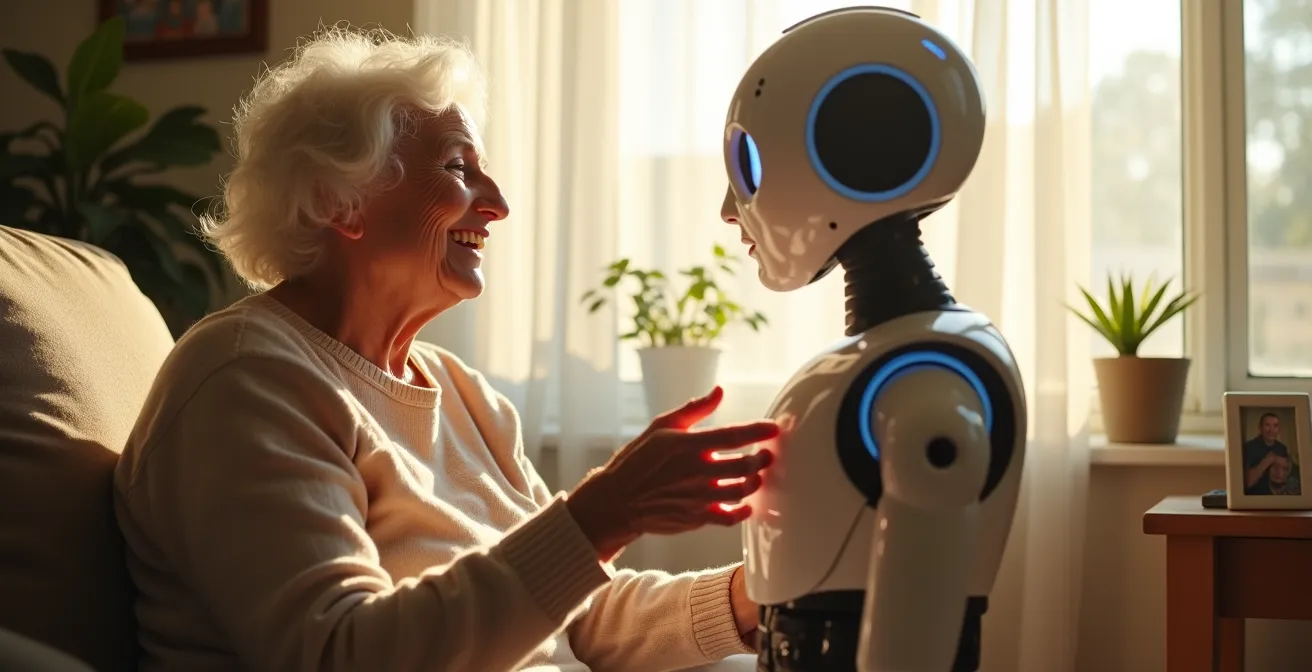
Home robots promise independence for seniors, but their true value isn’t in replacing humans, but in carefully managing the trade-offs between technology and dignity.
- Privacy-preserving sensors like mmWave radar can detect falls with high accuracy without cameras.
- Digital failsafes, such as a manual pill organizer as a backup, are non-negotiable for critical tasks like medication.
Recommendation: Focus on technology that augments human connection and has clear backup plans, rather than seeking a fully autonomous solution that could fail at a critical moment.
For children of aging parents, the desire to ensure a loved one’s safety and well-being at home is a constant, pressing concern. The promise of technology, particularly home robots, offers a tantalizing solution: a way to support their independence, delay the difficult transition to a nursing home, and provide peace of mind. The market is filled with headlines about robots that offer companionship, issue medication reminders, and even detect emergencies. These features all sound wonderful on the surface.
But what happens when the Wi-Fi drops right before a crucial medication dose? Or when a well-intentioned fall detection sensor begins to feel like intrusive surveillance? The reality of gerontechnology is far more complex than a simple product purchase. Adopting a home robot is not a ‘set-it-and-forget-it’ solution. It’s an entry into an intricate ecosystem of trade-offs—a delicate balance between autonomy and safety, privacy and connection, and technological capability versus real-world reliability. The most critical failure points often lie where digital systems meet physical realities.
This article moves beyond the marketing hype to provide a realistic framework for evaluation. Instead of just listing features, we will dissect the critical trade-offs you must consider. We’ll explore how to configure systems for dignity-preserving safety, what to do when the tech inevitably glitches, and how to ensure these tools augment human care rather than attempting to replace it. This is not about finding the perfect robot; it’s about building a resilient and respectful support system for the person you care about.
For those who prefer a visual introduction, the following video offers a glimpse into how one such assistive robot, ElliQ, integrates into a senior’s daily life, focusing on companionship and engagement.
To help you navigate these complex decisions, this guide is structured around the most common challenges and solutions caregivers face. We will examine specific use cases, from companionship and fall detection to medication management, providing you with the insights needed to make an informed choice.
Summary: A Realistic Look at Robotic Aids for Senior Independence
- Why a Robot Pet Can Reduce Dementia Anxiety Without Vet Bills?
- How to Configure Fall Detection Sensors Without Invading Privacy?
- Exoskeletons vs. Smart Walkers: Which Mobility Aid Fits Your Parent?
- The Glitch That Leaves a Senior Stranded Without Medication
- Problem & Solution: Balancing Tech Alerts With Human Visits
- AI Chatbot vs. Nurse Hotline: Who Gives Safer Advice for Midnight Fevers?
- Problem & Solution: Reducing Heating Bills by 15% With Smart Thermostats
- How to Ensure Your Website Is Accessible to Users With Visual Impairments?
Why a Robot Pet Can Reduce Dementia Anxiety Without Vet Bills?
For seniors, especially those with dementia or Alzheimer’s, social isolation and anxiety can be as detrimental as physical ailments. While a real pet offers companionship, the responsibilities of feeding, walking, and vet visits are often unmanageable. This is where robotic pets emerge as a surprisingly effective tool for emotional support. Research has shown that interactive robotic animals can significantly lower stress, improve mood, and foster a sense of connection, providing comfort without the logistical burden of a living animal.
Unlike a simple stuffed animal, these devices are designed to respond to touch and sound with realistic purrs, barks, and movements. This interactivity can be a powerful anchor for individuals experiencing cognitive decline, giving them something to nurture and focus on. However, it’s crucial to approach this with awareness. Some seniors can form deep attachments, and a small number may become confused, believing the robot is real and requires care they cannot provide. It’s important to observe their reaction and ensure the interaction remains positive and calming.
The financial investment also varies widely. Simple, less interactive models are available for under $100, while highly advanced therapeutic robots like PARO, a robotic seal used in clinical settings, can be a significant investment. For instance, studies show a PARO robot costs approximately US $6000, while other effective models like JustoCat are closer to $1350. The right choice depends on balancing budget with the level of interactivity that best suits your parent’s needs and cognitive state.
How to Configure Fall Detection Sensors Without Invading Privacy?
Falls are one of the greatest threats to a senior’s ability to age in place safely. While wearable pendants are a common solution, they are only effective if worn, and many seniors resist them due to stigma or forgetfulness. This has led to the rise of ambient, environment-based sensor systems. However, the most obvious solution—placing cameras throughout the home—comes at a steep cost to a person’s dignity and privacy. No one wants to feel like they are under constant surveillance in their own home.
Fortunately, technology has evolved to offer dignity-preserving alternatives. The goal is to monitor for a specific event (a fall) without monitoring the person. Advanced sensors can achieve this by using data that does not rely on identifiable images. This represents a critical trade-off: choosing a technology that respects privacy, even if it requires more sophisticated configuration. The illustration below shows how a discreet sensor can be integrated into a room without being obtrusive.

As the image suggests, these devices are designed to blend into the background. Technologies like millimeter-wave (mmWave) radar, for example, can detect a person’s position, posture, and movement with incredible accuracy by bouncing harmless radio waves off them. It can tell the difference between someone sitting, standing, or lying on the floor, but it cannot see their face or what they are wearing. This provides the safety data needed without the privacy cost of a camera, a concept detailed in an analysis of privacy-preserving technologies.
The following table compares several leading technologies, highlighting the balance between privacy and accuracy. This helps illustrate the “ecosystem of trade-offs” where the best choice is not always the most obvious one, but the one that best fits the specific needs and comfort level of the individual.
| Technology | Privacy Level | Accuracy | Key Features |
|---|---|---|---|
| mmWave Radar | High | 97-98% | Offers high-precision motion tracking that remains effective in varying lighting conditions while maintaining privacy, captures overall motion patterns without identifiable images |
| 3D Vibration Sensors | High | 95%+ | Provides real-time vibration sensing with low power consumption, detects localized ground vibrations |
| Acoustic Sensors | Medium | 92% | Sound-based detection without visual capture |
| LiDAR | High | 94% | Privacy-preserving approach that doesn’t rely on wearable devices or video monitoring |
Exoskeletons vs. Smart Walkers: Which Mobility Aid Fits Your Parent?
Maintaining mobility is fundamental to independence. For seniors facing strength and balance issues, assistive technology can be life-changing. The conversation is rapidly moving beyond traditional canes and walkers to more advanced robotic aids. This shift is driven not only by technological progress but also by a looming societal need. With an estimated shortfall of 151,000 paid care workers in the US by 2030, technology must help fill the gap.
On one end of the spectrum are full-body exoskeletons. These are powerful, often expensive, devices that can help individuals with significant mobility impairment to stand and walk. They are typically used in rehabilitation settings and are less common for everyday home use due to their complexity and cost. For most seniors aging in place, they represent an overwrought solution to a more common problem.
A more practical and increasingly popular category is the smart walker. These devices are a significant leap from their passive counterparts. Instead of just providing static support, they use sensors and motors to actively assist the user. For example, MIT’s E-BAR robot functions like a set of robotic handlebars that follows a person, ready to provide support if they stumble or need help transitioning from sitting to standing. It can adjust its level of assistance, promoting use of the person’s own muscles while providing a safety net. This “augmented care” approach empowers the user, helping them maintain strength and confidence rather than fostering over-reliance on the device.
The Glitch That Leaves a Senior Stranded Without Medication
Of all the tasks a home robot can assist with, medication management is one of the most critical and, consequently, one of the most fraught with risk. Automated pill dispensers can be a fantastic tool, reminding seniors when to take their medication and notifying caregivers if a dose is missed. Advanced models even have locked compartments that only open at the correct time, preventing accidental overdoses. In theory, this system is foolproof.
But in practice, these devices are vulnerable to a host of digital failure points. A power outage, a lost Wi-Fi connection, a software bug, or even a simple mechanical jam can prevent the dispenser from working. When the task is this critical, a digital-only solution is a liability. The consequences of a missed dose of heart medication or insulin are severe. This is where the concept of a “digital failsafe” becomes non-negotiable. As Roberto Bolli of MIT’s Department of Mechanical Engineering notes, demographic trends are pushing us toward these technologies, but we must implement them with caution.
All the demographic trends point to a shortage of caregivers, a surplus of elderly persons, and a strong desire for elderly persons to age in place.
– Roberto Bolli, MIT Department of Mechanical Engineering
A digital failsafe is a protocol that assumes the technology will eventually fail and provides a low-tech backup. It’s about building resilience into the care plan. Instead of trusting the robot completely, you create a system where its failure is an inconvenience, not a catastrophe. The following checklist outlines a practical framework for creating this safety net.
Your Failsafe Checklist for Medication Dispensers
- Assess All Failure Points: List every point of potential failure, from power and internet outages to mechanical jams and user error.
- Maintain an Analog Backup: Keep a separate, clearly labeled manual pill organizer (e.g., a 7-day pillbox) filled with at least 2-3 days of medication as an immediate backup.
- Establish a Human Check-in Protocol: If the system sends a “missed dose” alert, who is the designated contact person, and what is their exact response plan (call, visit)?
- Create Written Instructions: Post simple, large-print instructions next to the dispenser explaining what to do if it fails, including who to call and where the backup medication is located.
- Designate Local Tech Support: Identify a neighbor, friend, or local service who has access to the home and can physically troubleshoot the device in an emergency.
Problem & Solution: Balancing Tech Alerts With Human Visits
One of the great promises of elder care technology is the ability to monitor a loved one’s well-being from afar. Smart thermostats alert you to dangerous temperatures, fall sensors notify you of an emergency, and smart pillboxes report missed doses. This stream of data can create a powerful sense of security. However, it can also lead to a new problem: alert fatigue for the caregiver and a sense of being constantly monitored for the senior.
More importantly, an over-reliance on technology can subtly erode the perceived need for in-person visits. If all the dashboards are green, it’s easy to think a phone call is sufficient. This misses a fundamental point about well-being. A robot can report that a meal was eaten, but it can’t tell you if your parent felt lonely while eating it. Technology is excellent at monitoring data points, but terrible at measuring quality of life. The solution is to reframe the purpose of the technology: its goal is to make human visits more meaningful, not less frequent.
A fascinating study of the ‘Stevie’ robot in a senior living community revealed this counter-intuitive truth. Researchers expected residents to value the robot for its usefulness—delivering items or providing information. Instead, when asked what they liked most, the overwhelming response was “it made me laugh” or “it made me smile.” The robot’s most important function turned out to be emotional, not transactional. It acted as a social catalyst, giving residents something to talk about and enjoy together. This highlights that the goal of augmented care is not just efficiency, but enhancing joy and human connection.
AI Chatbot vs. Nurse Hotline: Who Gives Safer Advice for Midnight Fevers?
When a health concern arises in the middle of the night, immediate access to information can be critical. Historically, the go-to resource has been a 24/7 nurse hotline, staffed by licensed professionals. Today, AI-powered health chatbots offer an instant alternative. For a caregiver, deciding which to trust with a parent’s health is a high-stakes choice that perfectly encapsulates the modern trade-off between speed and reliability.
AI chatbots offer undeniable advantages: they are instantaneous, always available, and can quickly process and triage symptoms based on user input. They can be excellent for gathering preliminary information or for non-urgent queries. However, they come with significant risks. The primary one is the phenomenon of AI “hallucinations,” where the model can generate plausible but entirely incorrect information. Crucially, an AI chatbot has no legal or professional liability; it is an information tool, not a medical provider.
A nurse hotline, while it may involve wait times, connects the user to a licensed professional with real-world clinical experience and malpractice insurance. A human nurse can ask clarifying questions, understand nuance and context, and assess the urgency of a situation in a way an algorithm cannot. Their advice carries legal and ethical weight. The choice between them isn’t about which is “better,” but which is appropriate for the situation, as a comparative analysis of their roles makes clear.
The following table breaks down the fundamental differences, providing a clear guide for when to use each resource.
| Aspect | AI Chatbot | Nurse Hotline |
|---|---|---|
| Legal Liability | No legal liability – for informational purposes only | Licensed professionals with malpractice insurance |
| Response Time | Instant 24/7 | May have wait times |
| Accuracy Risk | Can assist with medication management and fall detection but may have AI ‘hallucinations’ | Real-world experience with clarifying questions |
| Best Use Case | Symptom triage and initial data gathering | Urgent medical advice and emergency assessment |
Problem & Solution: Reducing Heating Bills by 15% With Smart Thermostats
Maintaining a safe and comfortable home environment is a cornerstone of aging in place, yet it presents a hidden danger. Older adults are more susceptible to both hypothermia and heat stroke, and they may have difficulty regulating their body temperature or remembering to adjust settings. Extreme temperatures can quickly become life-threatening. A smart thermostat, while not a “robot” in the traditional sense, is a crucial piece of gerontechnology that directly addresses this problem.
Its primary function is to maintain a pre-set, safe temperature range. Experts suggest a room temperature range of 68°F-74°F is generally safe for seniors, as a body temperature dropping below 95°F can risk serious hypothermia. A smart thermostat automates this, removing the burden of manual adjustments. But its real value for a caregiver lies in its remote monitoring and alert capabilities. You can check the temperature in your parent’s home from your own phone and, more importantly, receive an alert if the temperature becomes dangerously high or low.
This provides immense peace of mind, especially for seniors who live alone. It transforms the thermostat from a simple comfort device into an active safety tool. Furthermore, by learning household patterns and optimizing heating and cooling schedules, these devices can also lead to significant energy savings, often around 15%, which can be a meaningful benefit for seniors on a fixed income. As Scott Grant, a Certified Senior Advisor, emphasizes, this is a matter of safety, not just comfort, for both the senior and the caregiver who needs to know their loved one is safe at all times.
Key Takeaways
- Prioritize dignity-preserving technology, like non-visual fall sensors, over potentially invasive cameras.
- For any life-critical function, such as medication or emergency alerts, always establish a non-digital backup plan.
- The true goal of gerontechnology is to augment human care and connection, not replace it; emotional benefits can be as important as functional ones.
How to Ensure Your Website Is Accessible to Users With Visual Impairments?
The most advanced robot in the world is useless if its intended user cannot operate it. As we integrate more technology into seniors’ lives, the accessibility of the user interface becomes a paramount concern. This extends beyond the robot itself to the websites and mobile apps used to configure and monitor it. With a majority of older adults now using smartphones, a poorly designed interface can be a significant barrier to adoption.
For users with visual impairments—a common condition in older age—a digital interface can be an insurmountable wall. Text that is too small, buttons with poor color contrast, and a reliance on complex touchscreen-only controls can render a device unusable. The principles of web accessibility, therefore, are directly applicable to the design of robotic interfaces. The goal must be to provide multiple ways to interact with the device.
Voice control is perhaps the most powerful tool for accessibility. Assistants like Alexa, Siri, and Google Assistant allow users to perform complex tasks with simple spoken commands, from setting reminders to making emergency calls. This bypasses the need to navigate visual menus entirely. However, a robust interface should not rely on a single method. A well-designed system will incorporate several key features to ensure usability for everyone:
- High-Contrast Visuals: Displays must use large, clear fonts with strong contrast between the text and background (e.g., black on white).
- Tactile Feedback: Including physical buttons with distinct shapes for core functions provides a reliable alternative to touchscreens. Haptic (vibrational) feedback can confirm that a command has been received.
- Clear Audio Cues: Using distinct sounds for different alerts (e.g., a low battery warning vs. a medication reminder) helps users understand the system’s status without looking at a screen.
To apply these insights, start by evaluating one specific need for your parent—be it mobility, medication safety, or social connection—and research solutions with these real-world trade-offs and failsafe plans at the forefront of your mind.